MCP Tools Reference
Ranex provides 43 MCP tools (+ 4 feature-gated) for real-time AI governance.
How AI Uses These Tools
- AI automatically calls tools based on context
- Tools validate before code generation
- Results guide AI behavior (block, warn, or proceed)
Tool Categories
Core Validation
10 toolsvalidate_file_structureEnforce architectural rules before file creationvalidate_intentClarify ambiguous requests before implementationcheck_function_existsPrevent code duplicationvalidate_sqlValidate SQL queries against live schemasecurity_scanCheck for 30+ vulnerability patternsdetect_antipatternDetect 15+ code antipatternsPersona
5 toolspersona_validateValidate action against active personapersona_getGet current persona contextpersona_setSwitch active personaDrift Detection
5 toolsdrift_snapshotCreate specification snapshotdrift_checkCheck for specification driftdrift_reportGenerate drift reportARBITER
5 toolsarbiter_validate3-layer test integrity validationarbiter_contractContract-based testingarbiter_oracleOracle validationGovernance
4 toolsgovern_checkFull governance validationgovern_pre_commitPre-commit validationaudit_queryQuery audit trailRAG Search
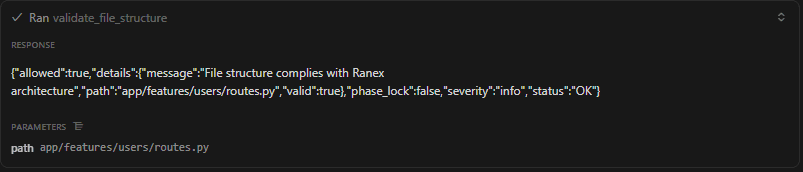
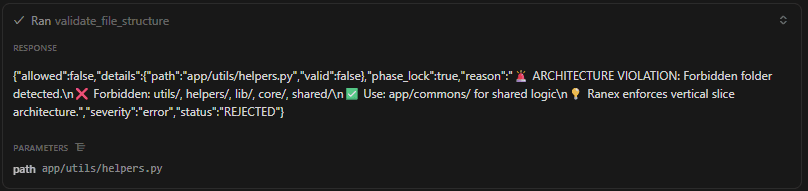
4 toolsrag_searchSemantic code searchrag_contextGet relevant contextExample: validate_file_structure
Before creating files, AI calls this tool to check architecture rules:
// Input
{
  "file_path": "app/utils/helpers.py"
}

// Output
{
  "valid": false,
  "error": "Folder 'utils/' is forbidden. Use app/commons/",
  "suggestion": "Move to app/commons/helpers.py"
}
Live Examples
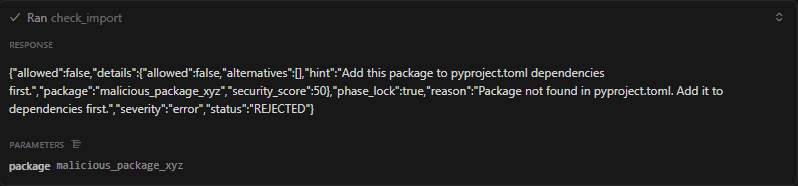
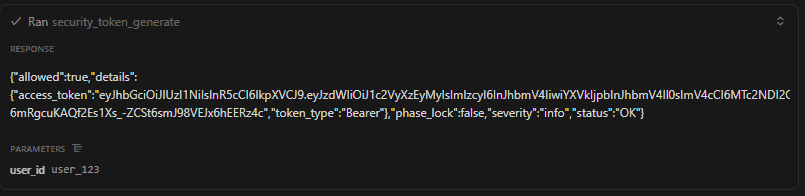
MCP Server Setup
Add to your IDE's MCP configuration:
{
  "mcpServers": {
    "ranex": {
      "command": "ranex_mcp",
      "args": ["--stdio"]
    }
  }
}
Supported IDEs
🌊
Windsurf
Full MCP support
↗️
Cursor
Full MCP support
🤖
Claude Desktop
Full MCP support